MaxiECU for MG cars - Wireless
|
MaxiECU Diagnostic System for MG cars - Bluetooth / WiFi Interface
|
Includes VAT! -
FREE delivery!
Availability:
 In Stock!
Shipped same working day.
£ 140.00
Availability:
In Stock! Shipped same working day.
|
|
|
Product Code: MAXIECUMGB
Product rating:

(1 review)
Review this product
Share this product
|
Product details
|
MaxiECU MG Wireless Edition is a new fault diagnostic system for MG cars covering models from 1995 to
2005 (coverage years vary by model - see below).
The PC-based tool offers fault diagnostic features at a highly competitive price.
With the software running on your laptop and the wireless interface connected to the car, you can now
quickly find out why fault lights are on - and turn them off.
Ideal for the enthusiast or car owner.
Capabilities include:
- reading and clearing fault codes on modules around the car
- graphing and displaying live sensor information
- ECU information
- report printing
|
Which cars are covered?
(Cars must have 16-pin OBD-II type diagnostic connector - the software supports some earlier models
but we do not stock suitable adaptors)
|
- MG F (1995-2002) - Petrol engine only
- MG TF (2002-2004) - Body, ABS, Petrol engine, Airbags
- MG ZR (2001-2005) - Body, ABS, Petrol engine, Diesel engine (2001-2003), Airbags
- MG ZS (2001-2005) - Body, ABS, Petrol engine, Diesel engine (2001-2003), Airbags
- MG ZT (2001-2005) - Body, ABS, Climate control, Petrol engine, Diesel engine, Gearbox, Immobiliser,
Instruments, Airbags
Click here for detailed
coverage and functions for each system
Select the make MG from the brand list.
Please check this list to see the system coverage for your specific vehicle before ordering.
|
Package includes
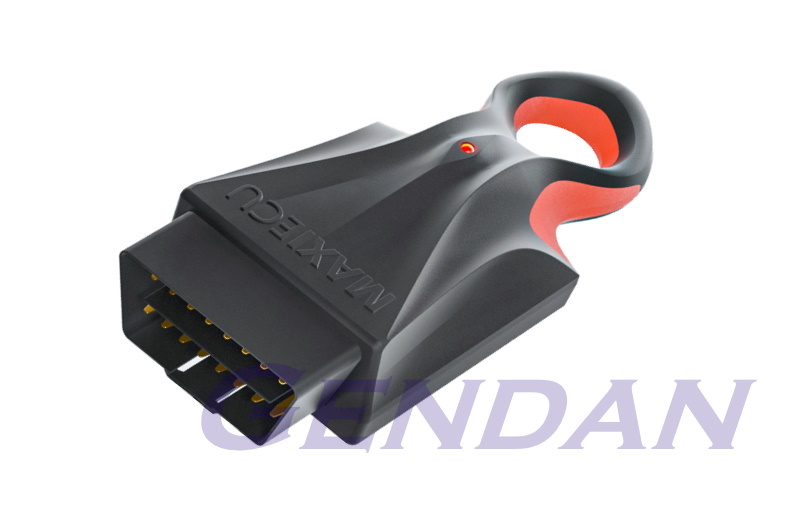
- MaxiECU wireless (Bluetooth & WiFi) diagnostic interface
- Software licence and activation instructions
|
System requirements
|
Windows PC:
- Windows 10 / 11 (including 64-bit versions)
- 4GB Memory (8GB recommended)
- Pentium 4 class (or better) CPU, at 2.0Ghz or faster
- 1500 MB available disk space
- Bluetooth 4.2+ / Wi-Fi enabled laptop
- Screen resolution of 1280x800 or greater
Android Phone / Tablet:
- Android device running Android 8.0 or higher
|
Software and User Manuals
Software and user manuals etc are now supplied online.
Once you have purchased the kit check your email for an activation email from MaxiECU.
This will guide you through the account activation process.
If you do not receive the activation email, please contact us and we will assist.
|
Software Updates
When purchasing a MaxiECU product, you are entitled to one year of free updates.
MaxiECU reserve the right to charge an update fee after one year, but have not yet done so.
Please note that your software will not stop working after a year, and you will be under NO obligation
to purchase updates if charges are introduced.
|
Product reviews
If you've already purchased this product, you can submit a review here.
|
1 customer has reviewed this product so far, with an average score of
1/5
|
|
|
|
Displaying reviews 1 to
1 of 1 |
|
|
Review submitted on 17/09/2026 by [name withheld] |
|
Bought this specifically for a door fault on a 2016 MG3, chocolate fireguard comes to mind. Not only does it not recognise any of the control modules - knows that some are there, but is not tested so cannot go any further.
Do a general scan and it will set error codes, such as the Tyre Pressure Warning, all the modules will then report communication errors caused by this tool.
It does work as a generic OBD tool - but why spend this amount of money on a generic OBD tool?
The software must be downloaded from the manufacturers website, so you will need an internet connection to create an account and a Windows 10+ machine, no Apple option.
Dont get me wrong, the unit loks well made, the delivery and packaging from Gendan was excellent
[Response from Gendan (17/09/2026): We're sorry to hear you're not happy with the tool at the moment.
MaxiECU have only recently started adding coverage for the new (SAIC-owned) MG range.
On the listing you bought this from on our website, we currently only list compatibility with the old MG Rover models, between 1995 & 2005.
Now that the SAIC models have begun to be added, we would expect the coverage to improve over time.
It also appears that so far you have not contacted MaxiECU or ourselves for any support to resolve this issue?]
|
|
|
Displaying reviews 1 to
1 of 1 |
|
|